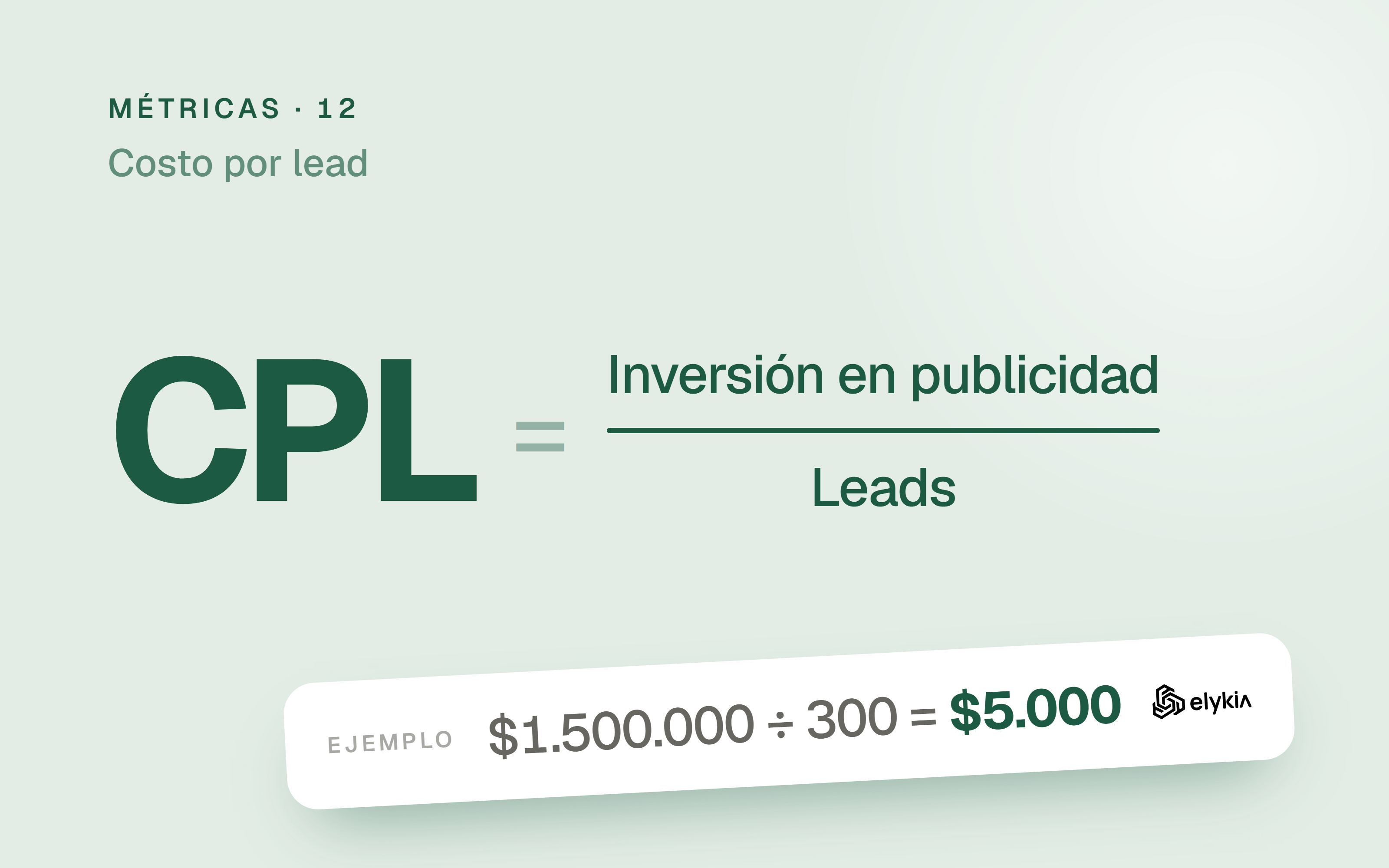
CPL (cost per lead) is how much it costs you to get an interested contact: someone who left their email or phone number so you can reach out. You calculate it by dividing your ad spend by the number of leads.
It sounds simple, and for your business as a whole, it is. The problem comes when you want the CPL for each campaign. The platforms take credit for extra leads, miss sign-ups because of iOS and ad blockers, and only see what happens inside their attribution window, which in Meta is 7 days from the click. With leads, it's normal for someone to take weeks to leave their info.
The result: Meta tells you your campaign brings in leads at $3.200, when they actually cost you $6.000.
Summary
- CPL = ad spend ÷ leads.
- CPL measures what a contact costs, not a customer: if you divide by the people who bought, that's CAC.
- If you calculate the CPL for each campaign using the numbers Meta or Google report, the figure doesn't reflect reality. We explain why below.
How do you calculate CPL?
CPL = ad spend for the period ÷ leads for the period
- Ad spend: what you spent on ads during the period, adding up Meta, Google, LinkedIn, and the rest.
- Leads: the new contacts who left their info during that same period, through a form, via WhatsApp, or by booking a demo. Each person counts once, even if they fill out two forms.
If you divide only by the leads your sales team considers good, you get the cost per qualified lead, which is much closer to what a customer costs. Plain CPL is useful for comparing campaigns quickly; the qualified version tells you whether your advertising pays off.
Example: CPL for a software company
A company that sells subscription software spends $1.500.000 in October across Meta, Google, and LinkedIn:
| October | |
|---|---|
| Ad spend | $1.500.000 |
| Leads | 300 |
| Qualified leads | 60 |
| New customers | 12 |
| CPL = $1.500.000 ÷ 300 | $5.000 |
| Cost per qualified lead = $1.500.000 ÷ 60 | $25.000 |
| CAC = $1.500.000 ÷ 12 | $125.000 |
Out of 300 leads, 60 are worth something and 12 buy. CPL says a contact costs $5.000; CAC says a customer costs $125.000, 25 times more.
How is CPL different from CAC?
| CPL | CAC | |
|---|---|---|
| Divides by | All contacts | Only those who bought |
| When you know it | Same day | When the sale closes, sometimes weeks later |
| What it's for | Comparing campaigns quickly | Knowing whether your advertising pays off |
A campaign can bring in leads at half the price and not close a single sale: if the form is being filled out by people who can't afford your product, CPL goes down and CAC shoots up. That's why you always look at CPL alongside how many leads end up buying.
What's a good CPL?
A CPL is good when, factoring in the leads that end up buying, each customer costs you less than you make from them.
In the example, each customer brings in $250.000 in profit over the whole time they pay for the subscription (their LTV in profit), and 1 out of every 25 leads buys. Your maximum CPL comes from dividing one by the other: $250.000 ÷ 25 = $10.000.
- With a CPL of $5.000, each customer costs $125.000 and brings in twice that. The advertising is worth it.
- With a CPL of $10.000, each customer costs $250.000: they barely cover what it cost to acquire them.
- With a CPL of $5.000, but only 1 in 50 buying, the customer also costs $250.000. Lowering your CPL is pointless if your leads get worse.
Why is the CPL Meta and Google show you wrong?
You can calculate the CPL for your whole business accurately using what you spent and the leads that came into your CRM. The problem shows up when you want it for each campaign: then you depend on which leads each platform says it brought in, and that breaks down for three reasons.
1. They take credit for extra leads. If someone saw your ad on Instagram, didn't click, and the next day searched for you on Google and filled out the form, Meta still takes credit for that lead. So does Google. There was one lead; the reports show two. Meta comes set up this way by default, and almost every account leaves it that way.
The study was done with sales, but leads are counted using the same settings. In the example, if Meta takes credit for 157 leads for every 100, its report shows them at around $3.200 instead of $5.000. We explain it in detail in The same sale, counted three times.
2. They're missing data. Since iOS 14, and with ad blockers, the pixel sometimes doesn't see a sign-up, and Meta fills in the gap with estimates. And if someone saw the ad on their phone and filled out the form on their computer, the platform doesn't always know it's the same person. Plus, they don't see anything that happens after their attribution window: if someone clicks and leaves their info two weeks later, as far as Meta is concerned, that lead didn't come from the ad.
3. They count forms, not customers. Meta sees that someone filled out the form. It doesn't know whether your team qualified them, whether they bought, or how much they paid. So it learns to get you more forms, even if they come from people who are never going to buy.
How do you see the CPL for each campaign without Meta's inflation?
By connecting your ad accounts and your CRM to Elykia. It works with HubSpot, GoHighLevel, and more.
It rebuilds each contact's journey, click by click, and sees what the platforms don't: sign-ups from iPhones, users with ad blockers, and device switches. It also counts each lead just once, even if they went through both Meta and Google.
With that, you get the real CPL for every channel, campaign, and ad. And in the same place, how many of those leads end up buying, what each customer costs, each contact's journey, and all of it ready to ask Claude about.
What you get with Elykia:
- Sell more while spending less. You cut the campaigns that bring in cheap leads who don't buy and move that money to the ones that bring in customers.
- Scale without fear. Before raising your budget, you know which campaign brings in leads that turn into sales.
- Get better leads from Meta. You send back the contacts Elykia tracks, and its algorithm learns from people who buy, not from forms.
Frequently asked questions
What counts as a lead?
Anyone who leaves their info so you can contact them: a form, a WhatsApp message, a booked demo, or a download in exchange for their email. What matters is defining it once and not changing it, so you can compare one month to the next.
Why is my CPL going down but my sales aren't going up?
Almost always because the campaign started bringing in less interested people. Short forms and free offers lower your CPL, but they add contacts who don't buy. Check how many leads get qualified before you celebrate.
How often should you measure CPL?
Weekly, because it moves fast and gives you an early warning before CAC does. But make the big decisions, like cutting a channel, based on the monthly cost per customer.